

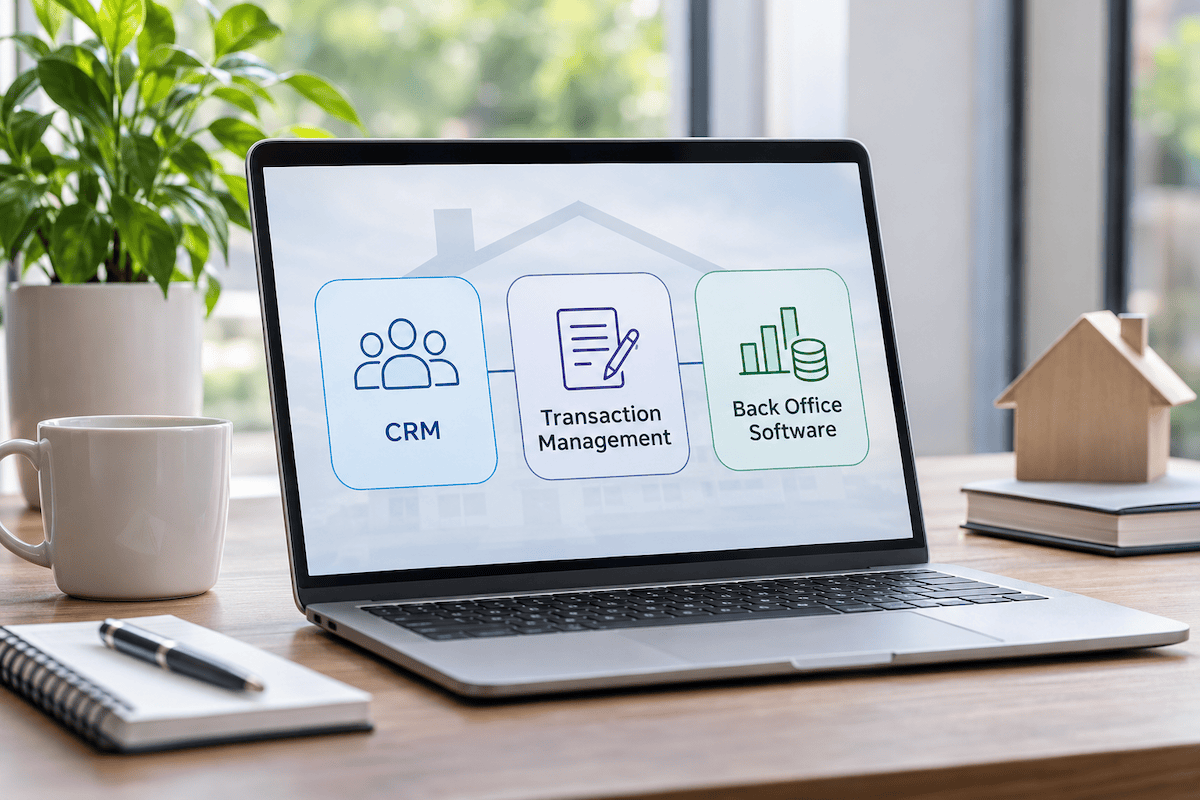
Real estate brokerages rely on real estate back office software and other digital tools to manage almost every stage of a deal.
- Relationships are managed via a customer relationship management (CRM) System.
- Real estate transaction management software manages the overall process of a deal.
- Back-office software handles most of the financial and administrative work for those deals.
Understanding the difference helps you avoid paying for overlapping tools while leaving important parts of your brokerage unsupported.
Why Brokerages Use Different Software Systems
Brokerages have multiple parts operating simultaneously. Agents must be able to manage leads and their customers. Administrators need to track transactions and paperwork. Accounting teams need timely, accurate commission numbers, payments, and financial records.
One system doesn’t always handle all of this well. That is why many brokerages build a software stack where each platform addresses a specific area of the brokerage operation, but they all interconnect to share information.
However, when systems don’t interconnect, your employees need to enter the same information in more than one place, which can lead to discrepancies between numbers and employees spending considerable time checking spreadsheets, emails, and software just to understand a particular transaction.
Choosing the right systems helps prevent that mess.
What Is Transaction Management Software?
Transaction management software helps real estate agents prepare, organize, and manage the documents and tasks involved in a property transaction. It supports the process from preparing an offer to getting contracts signed and tracking the steps needed to complete the deal.
Most transaction management platforms provide access to contract templates approved by the local Real Estate Board. Agents can use these templates to generate transaction documents, share them with clients and other parties, and collect electronic signatures.
Depending on the platform, transaction management software may handle:
- Real Estate Board-approved contract templates
- Contract creation and document preparation
- Document sharing and electronic signatures
- Transaction details and records
- Task lists and deadlines
- Approvals and compliance requirements
- Communication between parties
- Transaction progress tracking
Think of it as the system that answers, "What documents need to be prepared and signed, and what steps are required to move this deal forward?"
The main difference between transaction management software and real estate back office software is where each system typically focuses. Transaction management tools often begin with contract preparation, document sharing, and electronic signatures. Once a contract is fully executed, back office software like Loft47 takes over the administrative and financial workflows, including commission calculations, compliance tracking, and closing-related tasks.
While some features overlap, back office software focuses more on managing the brokerage's operations after a deal becomes firm or fully executed, rather than creating and signing the initial transaction documents.
What Is a Real Estate CRM?
A customer relationship management system focuses on people rather than completed transactions, and it’s used to track potential buyers, leads, past clients, and ongoing relationships.
For example, an agent gets an online lead. The CRM stores that lead’s information and provides a record of phone calls made, e-mails sent, meetings scheduled, and follow-ups. It helps the agent move the relationship from initial contact through an active client.
CRMs are considered front office sales tools. Once the lead becomes an active transaction, other systems typically take over more of the work.
What Is Real Estate Back Office Software?
Real estate back office software focuses on the operational and financial areas of managing a brokerage. There are more complex things involved here.
For example, one single transaction can involve commission splits, team agreements, referral fees, brokerage fees, taxes, agent payments, trust or escrow records, accounting entries, etc. Trying to manage all of this manually across various spreadsheets creates unnecessary work for your staff and increases the likelihood of errors.
Back office software allows your team to establish a structured framework to manage the financial side of transactions. Depending on the platform, it calculates commissions, agent payouts, transaction accounting, reporting, trust or escrow processes, audit records, and integrations with accounting software.
In summary, transaction management tracks the deal, while back office software tracks what that deal means financially for both your brokerage and your agents.
Key Differences Between These Systems
The easiest way to understand these tools is to look at the question each one answers.
There may be some overlap, since modern transaction platforms often include compliance tools, back office systems can also include transaction management, and some CRMs add basic deal tracking.
Don’t choose software based only on the category printed on its website. Look closely at what it actually handles.
Which Software Does Your Brokerage Need?
Begin with the biggest operational problem currently facing your brokerage.
Are your agents struggling to follow up with leads? Are they having difficulty communicating with prospective buyers? Then you need a better CRM to track leads and follow-up.
Have deals become buried in emails? Has paperwork gone missing? Are deadlines hard to follow? If so, your brokerage needs better tools to manage transactions.
Is your accounting department spending hours calculating commissions? Fixing payment errors? Updating spreadsheets? Moving numbers into accounting software? If the answer is yes, the back office is the bigger issue.
Most larger brokerages need all three. That doesn't mean they must purchase separate platforms. The goal is to create a connected system where information can flow seamlessly from one part of your brokerage to another without requiring employees to enter the same details again.
How Connected Software Improves Operations
Software creates additional work when every platform becomes its own island.
Your CRM knows who your client is. Your transaction system knows what is happening with the deal. Your back office software knows how much money needs to move. When these systems communicate, your team spend less time copying data and verifying whether the numbers match.
This is especially important when volume grows. While manual work may seem manageable at 20 deals, it quickly becomes unmanageable at 200.
Platforms such as Loft47 connect transaction and back office workflows while integrating with other tools used by real estate brokerages. The goal is to make the systems you rely on work together.
Frequently Asked Questions About Brokerage Software
What does real estate back office software manage?
Real estate back office software manages the financial and administrative work tied to brokerage transactions, including commissions, fees, agent payments, accounting records, financial reporting, trust or escrow workflows, and transaction history. The exact features depend on the platform.
Can a brokerage use all three systems together?
Yes. Many brokerages use a CRM, transaction management platform, and back office system together. The important part is integration, so your staff spend less time entering the same information into several platforms.
Which software should a growing brokerage choose first?
Choose the system that fixes the most serious bottleneck in your current workflow. A brokerage struggling to generate and follow up with leads should look at its CRM. If the issue is losing control of paperwork, it should focus on transaction management. A brokerage dealing with commission errors, slow payouts, manual accounting, or poor financial visibility should prioritize its back office. As you grow, the bigger question becomes less about choosing one type of software and more about making sure every system works together.